
Name-Based Case Searches
The statewide entry point is Wisconsin Circuit Court Access. It covers public circuit court information across the state. Set the county to Green before searching. That one step matters. It keeps you from mistaking the first statewide name match for the right person. Official guidance asks for at least three characters in the last-name field. Add a first or middle name only if it helps. When results look thin, try spelling variants, punctuation, initials, and suffixes.
- Open the official WCCA public circuit-court search.
- Select Green County before entering broad name terms.
- Enter the last name, then add first or middle name details if needed.
- Use case type, filing period, status, or class only to narrow a sound search.
- Open a possible match and compare county, number, branch, type, date, and party role.
- Read the event history before drawing any conclusion from the result heading.
Businesses get their own search field. Attorney-name filters in advanced search can shrink a large result set. The live interface holds the current labels, though. Keep private birth dates out of any published search notes. A shared name alone proves nothing. It never proves two records belong to the same person.
Green County WCCA Search Fields
WCCA is a live, dynamic application. Labels, required marks, and option order can shift between visits. The inventory below reflects the current route and official Wisconsin court interface material. It lists useful controls without promising each one sits in the same spot forever.
| Field or Control | Type | Required | Use in Green County |
|---|---|---|---|
| Party last name | Text | Conditional | Use at least three characters, then verify the result. |
| First and middle name | Text | Optional | Narrow common names; do not assume an initial was entered. |
| Business name | Text | Optional | Search an organization separately from an individual. |
| Attorney name | Text | Optional | May narrow a large statewide result set. |
| County | Select | Conditional | Choose Green County before broadening statewide. |
| Case number | Text | Conditional | Best exact route when the full number is known. |
| Case type or code | Select | Optional | Separates CF, CM, CT, CV, FA, SC, TR, FO, and other tracks. |
| Filing date or range | Date | Optional | Narrows old or high-volume results. |
| Status and class | Select | Optional | Use carefully; live choices need verification. |
| Records per screen | Display | No | Changes the list size, not the underlying record. |
Search and reset are interface controls, not record fields. If a filter returns nothing, drop one narrow field at a time. An empty list is not proof that no case exists.
Case Number Searches
An exact case number beats a name most of the time. Wisconsin circuit numbers combine a year, a case-type code, and a sequence. Green County and state materials show formats like 2026CF000001, 2009FA100, and 20PA99. Keep the leading zeroes when the source includes them. The code tells you the track, not the outcome. CF means felony, CM misdemeanor, and CT criminal traffic. CV is civil, and FA is family. PA covers paternity. SC means small claims, TR traffic forfeiture, and FO a non-traffic ordinance matter. PR and IN mark probate tracks. Codes for juvenile, adoption, guardianship, or civil commitment matters exist too. Those codes do not open restricted data to the public. Enter the whole number first. If it fails, recheck the year, code, sequence, county, and zeroes. A municipal ticket may never have carried a Green County circuit number at all. An appeal can pick up a separate appellate number in WSCCA.
Green County Case Codes Route Results
Case codes keep unlike records from collapsing into one match. CF, CM, and CT belong to the criminal family. CV and SC mark civil tracks. TR is not CT, and a local municipal ordinance case can sit outside WCCA entirely. Judgment and lien families carry their own codes. Those include TJ, TW, ML, CL, CO, HL, and OL.
- CF, CM, CT
- Felony, misdemeanor, and criminal traffic circuit cases.
- CV, SC
- Civil and small-claims cases.
- FA, PA
- Family and paternity cases, subject to access limits.
- TR, FO
- Traffic forfeiture and non-traffic ordinance matters in circuit court.
- PR, IN
- Probate and informal probate case families.
The Wisconsin eFiling timeline is the authoritative source for codes. A two-letter guess can point to the wrong track, so confirm the code and county before comparing parties or dates.
Case Search Results Explained
A Green County case search returns an index and event view, not a full narrative. Read the fields together. A filing is not a ruling, a charge is not a conviction, and a scheduled hearing does not prove one took place. Later events can change status, disposition, or dates.
| Case number | Year, case-type code, and sequence identifying the file. |
|---|---|
| County and branch | Confirms Green County and routes the case to Branch 1 or Branch 2. |
| Case type | Identifies the procedural family, such as CF, CV, or SC. |
| Filed date | Shows when the matter entered the court system. |
| Parties and roles | Lists public names and their recorded role where disclosure is allowed. |
| Events and settings | Shows filings, hearings, orders, and scheduled dates in sequence. |
| Disposition or judgment | Records an outcome field where public, which may differ by count. |
| Financial information | May show obligations or satisfaction data, but can be incomplete. |
For the legal effect of a judgment or order, get the document itself from the clerk. A screen view is not a certified record.
Green County Public View Versus Court File
WCCA shows the public a case-level view of Green County circuit court activity. You get dates, events, and short descriptions where the rules permit. What you will not find there is a general library of the actual filings. Complaints, exhibits, and signed orders stay with the clerk of court. The official Wisconsin eFiling FAQ tells public users exactly that. Attorneys and authorized parties log in under a different eFiling role with wider access.
Green County users unsure where to begin can lean on the Wisconsin case-search landing page. It lays out the public circuit and appellate systems. It also helps you pick the right one.
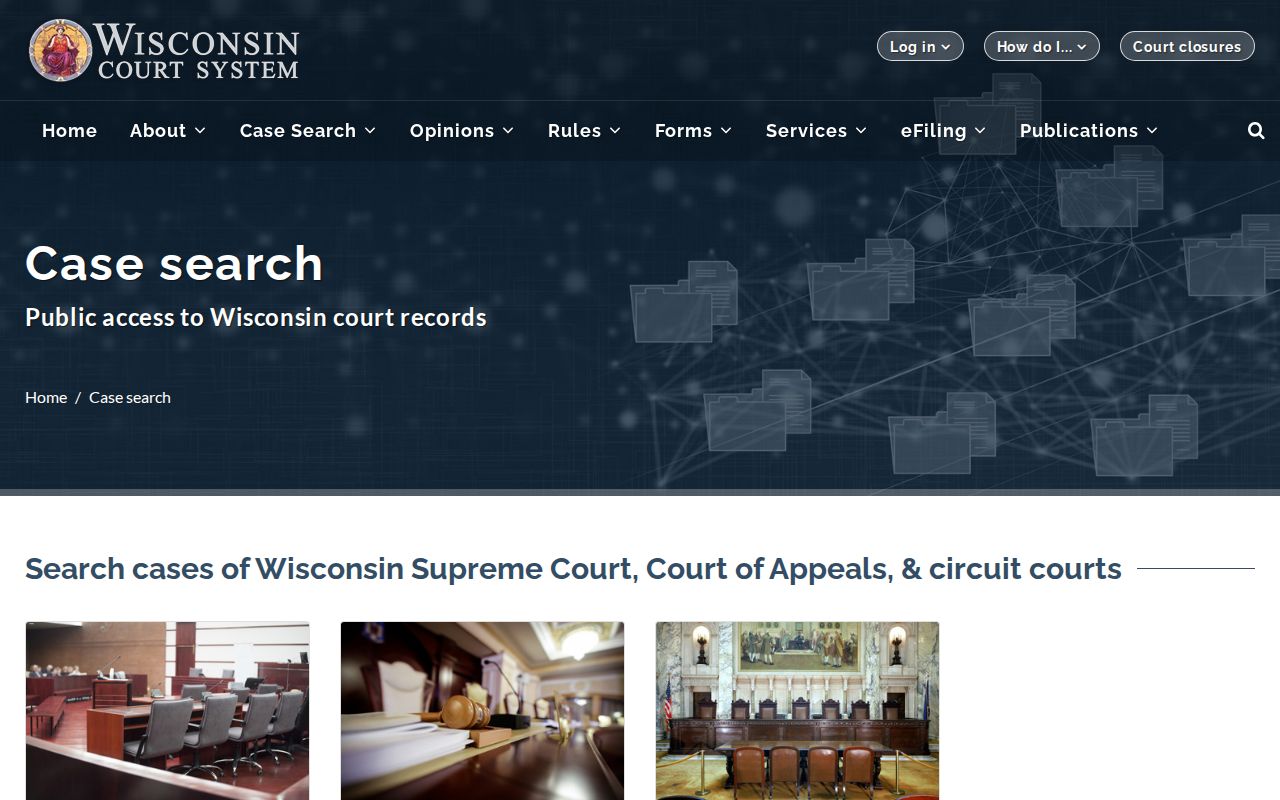
That landing page shows why the search starts with court level, not just a name. Once WCCA is chosen, its public shell supplies the circuit route. The official WCCA public-access page records the Green County circuit-case search layer.
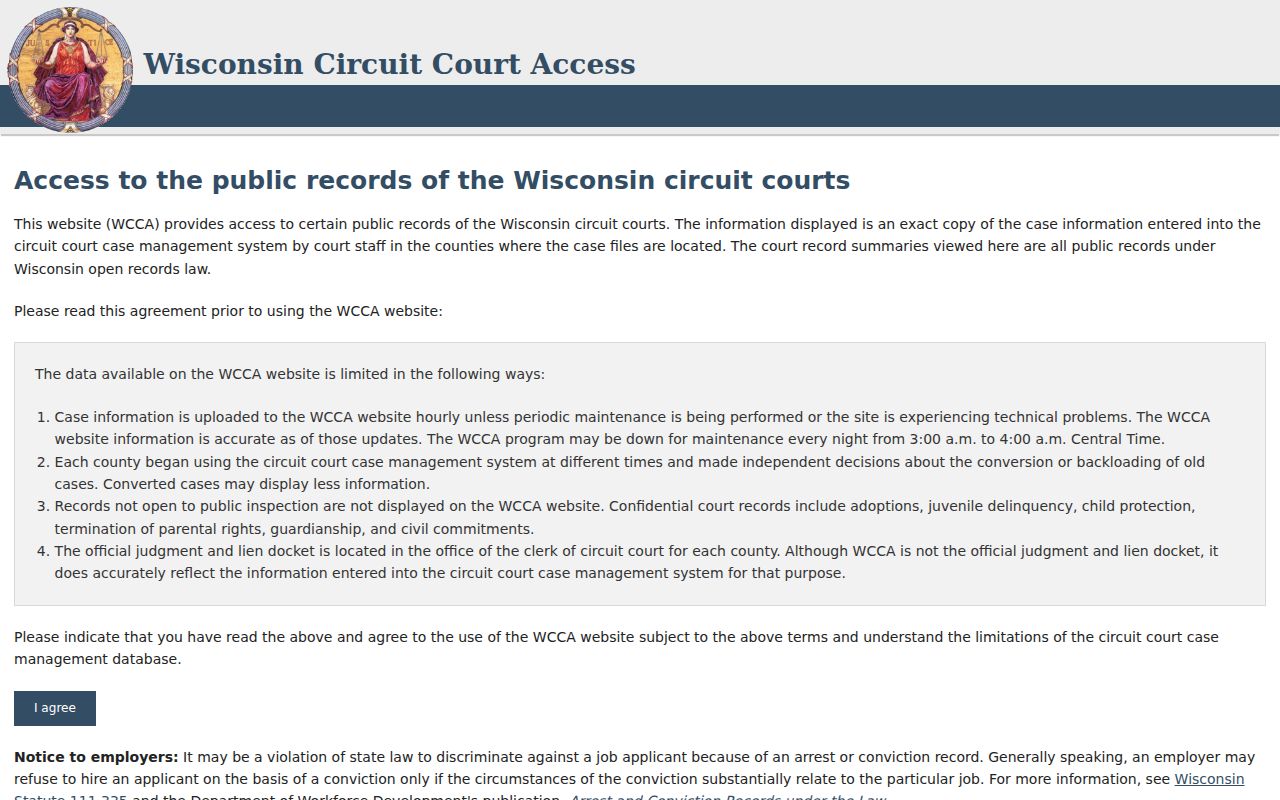
Use that layer to find the Green County case. Then ask the Clerk at 2841 6th Street, Monroe, or call 608-328-9433 for inspection, copies, transcripts, or certification.
Two Ways to Search: County and State
Green County runs no separate public circuit database beside WCCA. Select Green County in the statewide system and WCCA becomes the county search. The local counter adds document service and live file help. It offers no rival online result set. Appellate cases live in WSCCA and can carry a new number.
| State Online Route | Green County Local Route |
|---|---|
| WCCA searches public Wisconsin circuit information. | The Clerk confirms local files, access, and copies. |
| WSCCA searches Supreme Court and Court of Appeals matters. | Branch offices help with assigned Green County calendars. |
| The public view offers index and event fields. | The counter supports inspection and regular or certified copies. |
| Best for locating a public case and tracking events. | Best when a document, current setting, or restriction needs review. |
The live WCCA case-search route appears in an official Green County docket search capture.
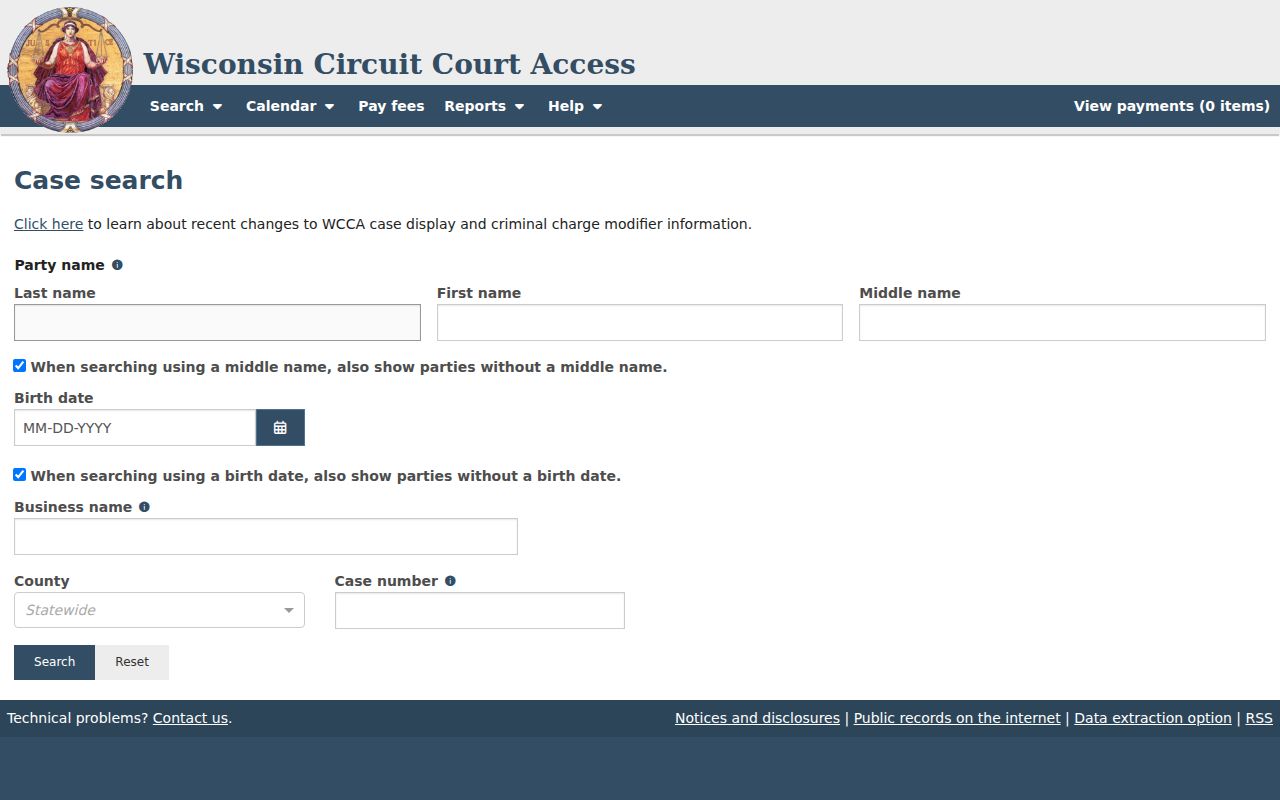
The search interface runs on JavaScript, so the labels on the page can shift from one visit to the next. Trust the field names you see in the live system over any older description of the form.
Green County Cases Outside WCCA
A WCCA search that comes up empty often points to the wrong court. Brodhead and Albany handle municipal matters locally. Those cases stay with local court contacts unless an appeal or another proceeding creates a circuit case. The clerk posts no public municipal portal for Green County. Wisconsin's municipal directory helps with routing. It does not promise that every local ticket appears online.
Appeals that started in Green County move to the Wisconsin Court of Appeals, searched through WSCCA. Federal cases belong to the U.S. District Court for the Western District of Wisconsin. Search them on PACER/CM/ECF. Bankruptcy goes to the Western District bankruptcy court. None of these lands in WCCA just because a party or event has a Green County connection.
Pick the system by court level, then search. If the matter is municipal, call that municipal court. If it was appealed, keep both numbers. The trial and appellate records serve different roles, so both are worth holding onto.
Green County Docket Match Checks
A plausible name is only the start. Check more than the spelling. Confirm the Green County label, branch, case code, filing year, and party role, then compare the event sequence against the facts you know. Two or three independent fields beat a name alone. If anything conflicts, stop. Refine the search instead of merging two cases into one.
Save the official URL and the date you checked, and remember that public fields can change as events are entered, a case is restricted, or display policy applies. Describe the result as a WCCA public-information view, not a certified finding.
Green County Docket Search at the Counter
The counter is more than a help line. The Green County Clerk of Circuit Court preserves court records, manages the financial records, and serves walk-in requesters under the clerk's Wisconsin records role. At the Justice Center counter, you can inspect an available file, identify a document, order a regular or certified copy, ask about a transcript, or learn whether another office holds the record.
Bring the exact case number. Note the case type, branch, and party spelling too. A useful document or event date speeds things up. Say whether you want inspection, a docket printout, a specific filing, or certification. The office posts no court-copy request form online. No local turnaround schedule appears there either. Call before assuming a form, a delivery method, a prepayment amount, or same-day service.
The Sheriff's public-record form is not the Clerk's court-record form. A police report and a court complaint are different records held by different offices. They can concern the very same event.
Green County Docket Search Technology
Wisconsin unified its court system in 1978. CCAP later supplied the case-management layer. WCCA opened the public case view in the late 1990s. Green County joined the civil, family, paternity, and small-claims eFiling rollout in 2016. The systems are linked, but each serves a different audience.
Think of a chain. A paper or electronic court file is managed in CCAP, shown to the public through WCCA, and served in copies by the Clerk. eFiling access for an authorized participant does not create a public download right, which is why a Green County docket search can show an order entry while the signed order still must be requested.
Which Cases Stay Restricted
Wisconsin law and court orders close juvenile delinquency, CHIPS, termination of parental rights, adoption, guardianship, civil commitment, and sealed cases to the public. Green County branch pages list adoption, guardianship, juvenile, mental, and termination records as confidential office categories. Probate is the noted public exception on those pages.
Redaction rules protect Social Security numbers, account and security data, juror details, and certain victim or witness information. A sealed case can leave a limited public footprint. Its content stays closed. Use "access restricted" or "document unavailable to the public," never "nothing happened."
Wis. Stat. §§ 19.31, 19.35, and 19.36 frame public-record policy and its limits. Juvenile confidentiality sits in Wis. Stat. § 938.396. Ask the clerk whether a redacted record or a public sealing order can be released. Never seek a workaround to a court restriction.
Green County No-Result Checks
An empty result has many causes: a typo, a missing zero, the wrong county, the wrong case type, municipal-versus-circuit confusion, an older conversion gap, a restricted category, display policy, or a case that truly is absent. None of that is a legal conclusion. Retry with fewer filters. Keep Green County selected, and verify the case code.
Use the local fallback. Contact the Green County Clerk of Circuit Court when a known circuit case cannot be found or a document is needed.
Provide the case number if known, party spelling, case type, and a useful filing or event date range.
Keep the search date and official URL in your notes, because WCCA is a public-data snapshot. For current hearing facts, confirm through the Green County court schedule route. A certified result must come from the clerk. Printing the screen is not enough.